Feature breakdown
Features
Every area of Spark Automotive Theme is built for deep catalogs and buyers who shop by vehicle and part number. Here's what you get, section by section.
Homepage
A storefront that leads with vehicles and brands
Arrange purpose-built sections in the theme editor to guide parts shoppers from the first scroll to the right product.
Featured vehicle carousel
Spotlight popular platforms and builds, then link straight into the parts that fit them.
Top categories
Send shoppers into your biggest departments — brakes, suspension, engine, electrical — with clear category tiles.
Brand logo gallery
Display the manufacturers you carry in a tidy, responsive grid that builds instant trust.
Seasonal & scheduled banners
Plan winter, track-season, and clearance promos ahead of time and let them appear on schedule.
Editable hero
Set your headline, subtext, imagery, and call to action without touching code.
Collections
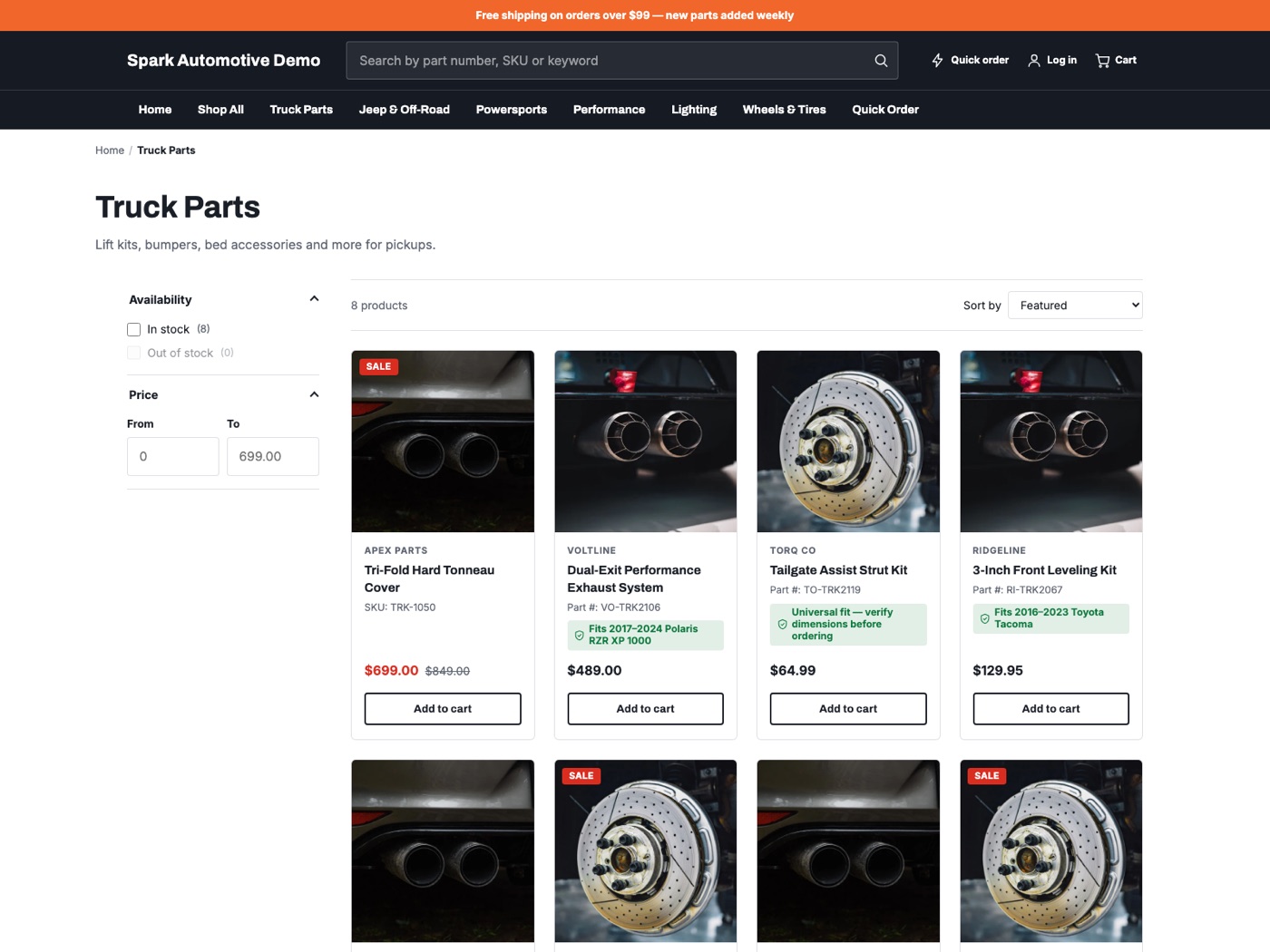
Large-catalog collection pages that stay fast
Built to stay quick and easy to shop even at tens of thousands of SKUs.
- Fast, filterable grids that hold up at large catalog sizes
- Faceted filters for brand, category, price, and availability
- Clear pagination that's easy to navigate on any device
- Quick-add straight from the grid
- Compatibility badges on product cards, drawn from metafields
Product pages
Answer "will it fit my vehicle?" instantly
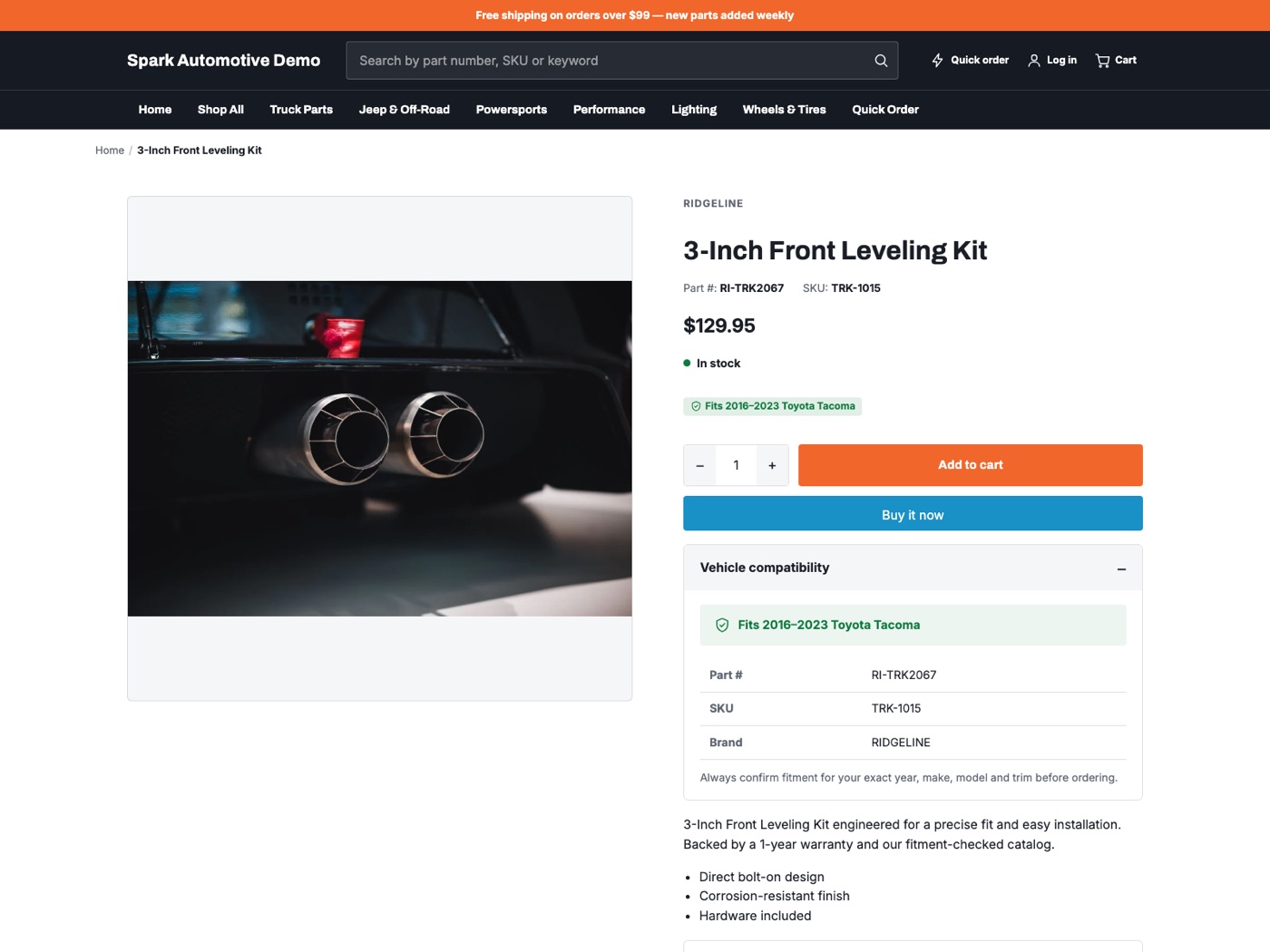
Product pages surface the details parts buyers actually need before adding to cart.
- Prominent part-number display
- Human-readable fitment summary ("Fits: 2015–2020 F-150…")
- "Fits your vehicle" compatibility badge
- Structured spec area for dimensions and attributes
- Related and cross-sell products to complete the job
Quick order
Part numbers in, cart filled
Pros who already know their part numbers can skip the browsing entirely.
Paste or type
Shoppers enter a part number and get matching products without hunting through collections.
Matches everywhere it counts
Lookups run across product titles, SKUs, and variant data using Shopify's product search.
Add multiple at once
Build a full order line by line, then send it all to the cart in a few clicks.
Fitment & metafields
Compatibility that shows up only when it should
The theme reads fitment data from metafields and displays it cleanly — with graceful fallbacks when data isn't there.
Reads standard metafields
Uses spark.compatibility, spark.part_number, and spark.fitment_summary by default — all configurable in theme settings.
Hides when empty
Missing a metafield? The badge or line simply disappears — no empty placeholders, no broken layout.
Fills itself with automation
Spark Shipping can populate these metafields automatically, and the theme pairs with the free Spark Fitment app for year/make/model lookup.
Branding controls
Make it yours — no code
- Upload your logo and set favicon
- Choose brand colors and type
- Pick fonts from the theme editor
- Rearrange, add, and hide sections by drag-and-drop
Performance & accessibility
Fast and usable for everyone
- Lightweight markup that stays quick on large catalogs
- Keyboard-accessible navigation and controls
- WCAG-minded contrast and focus states
- Responsive from phone to widescreen
Ready to see it in your store?
Download the theme free, add the fitment app, or talk to us about automating your catalog.